# Meteorite Homepage

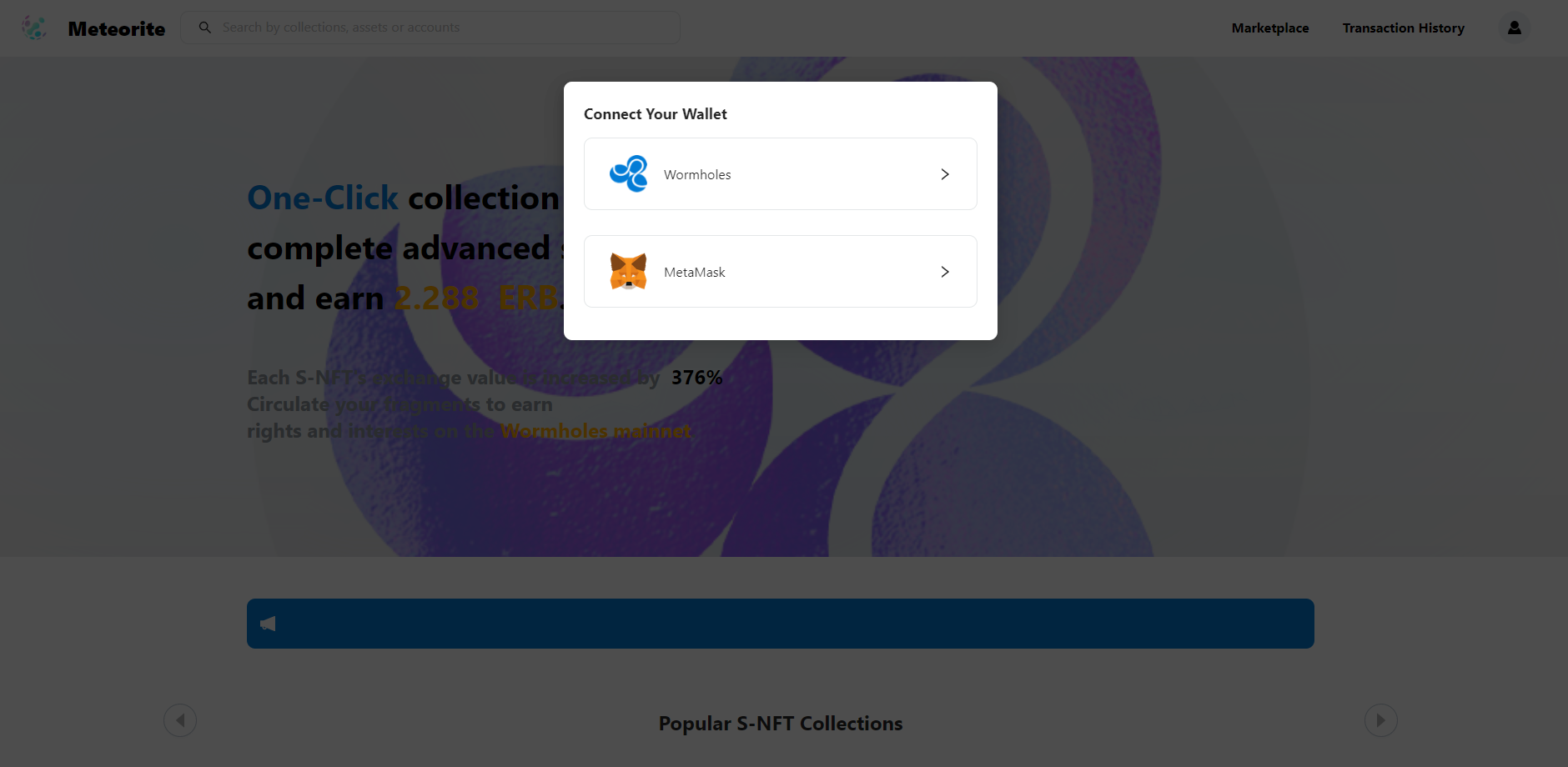
**Meteorite is a trading platform specifically for S-NFTs. After reaching the homepage, log in with your Limino wallet.**

<https://hub.wormholes.com/c0x97807fd98c40e0237aa1f13cf3e7cedc5f37f23b/#/>

<figure><img src="https://784032553-files.gitbook.io/~/files/v0/b/gitbook-x-prod.appspot.com/o/spaces%2FYTVPAlqY9fpK9hphBhJ3%2Fuploads%2FfYheZxdDkksg5tYucsox%2F%E5%BE%AE%E4%BF%A1%E6%88%AA%E5%9B%BE_20230211215156.png?alt=media&#x26;token=3682f464-ab81-4908-a431-5cf024efb639" alt=""><figcaption></figcaption></figure>

**Users who have not registered a Limino wallet can create an account by following the instructions in the docs below.**

{% embed url="<https://market-2.gitbook.io/wormholestestwallet/>" %}

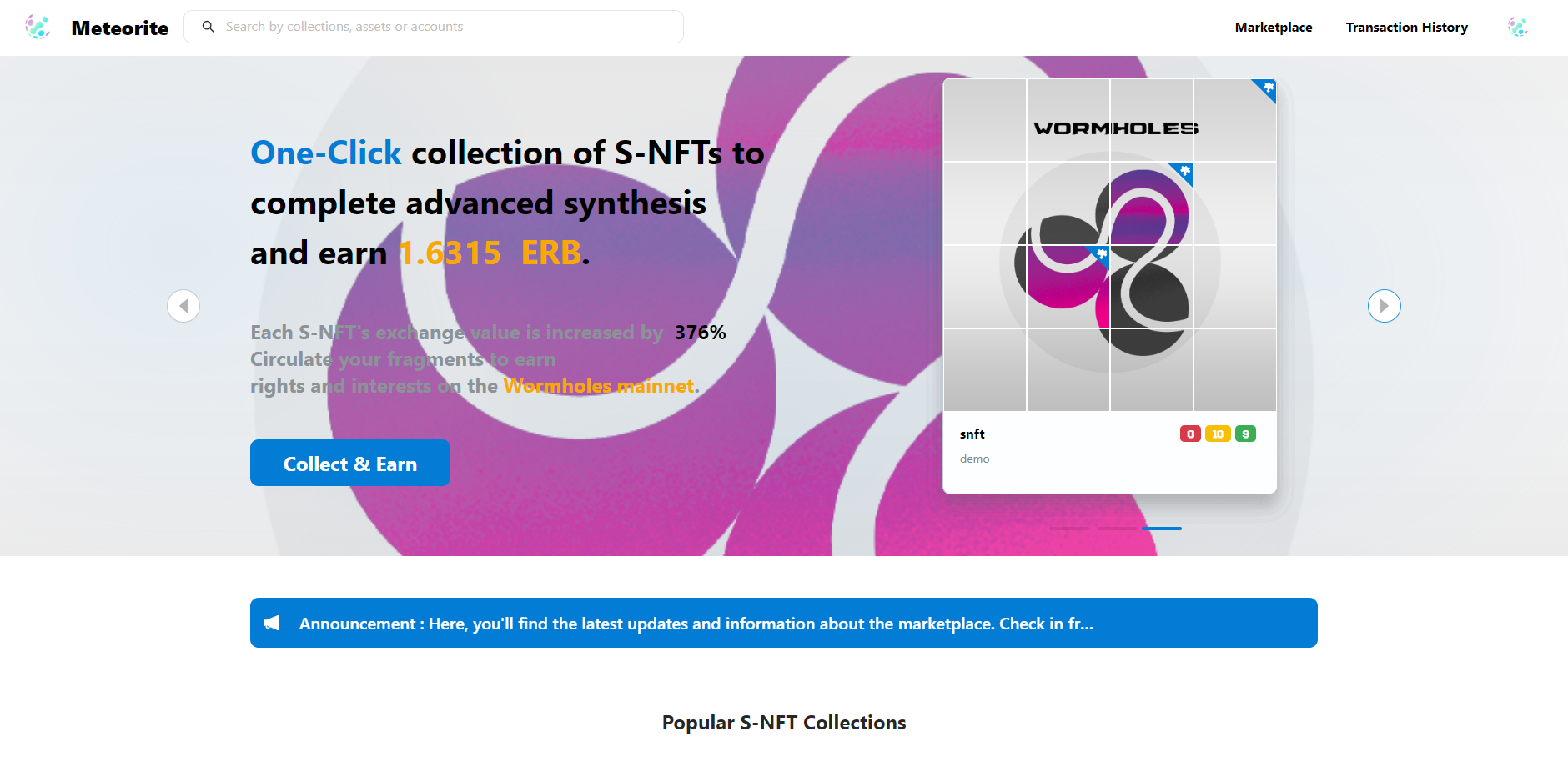
**After logging into your Limino wallet, the top 3 matched trading items will be automatically recommended based on your wallet's S-NFT holdings.**

<figure><img src="https://784032553-files.gitbook.io/~/files/v0/b/gitbook-x-prod.appspot.com/o/spaces%2FYTVPAlqY9fpK9hphBhJ3%2Fuploads%2FtuFzJ21uaX57KnFzeRO2%2F%E5%BE%AE%E4%BF%A1%E6%88%AA%E5%9B%BE_20230211215329.png?alt=media&#x26;token=a71ba565-6fe0-492c-b36e-c9b1552f8524" alt=""><figcaption></figcaption></figure>

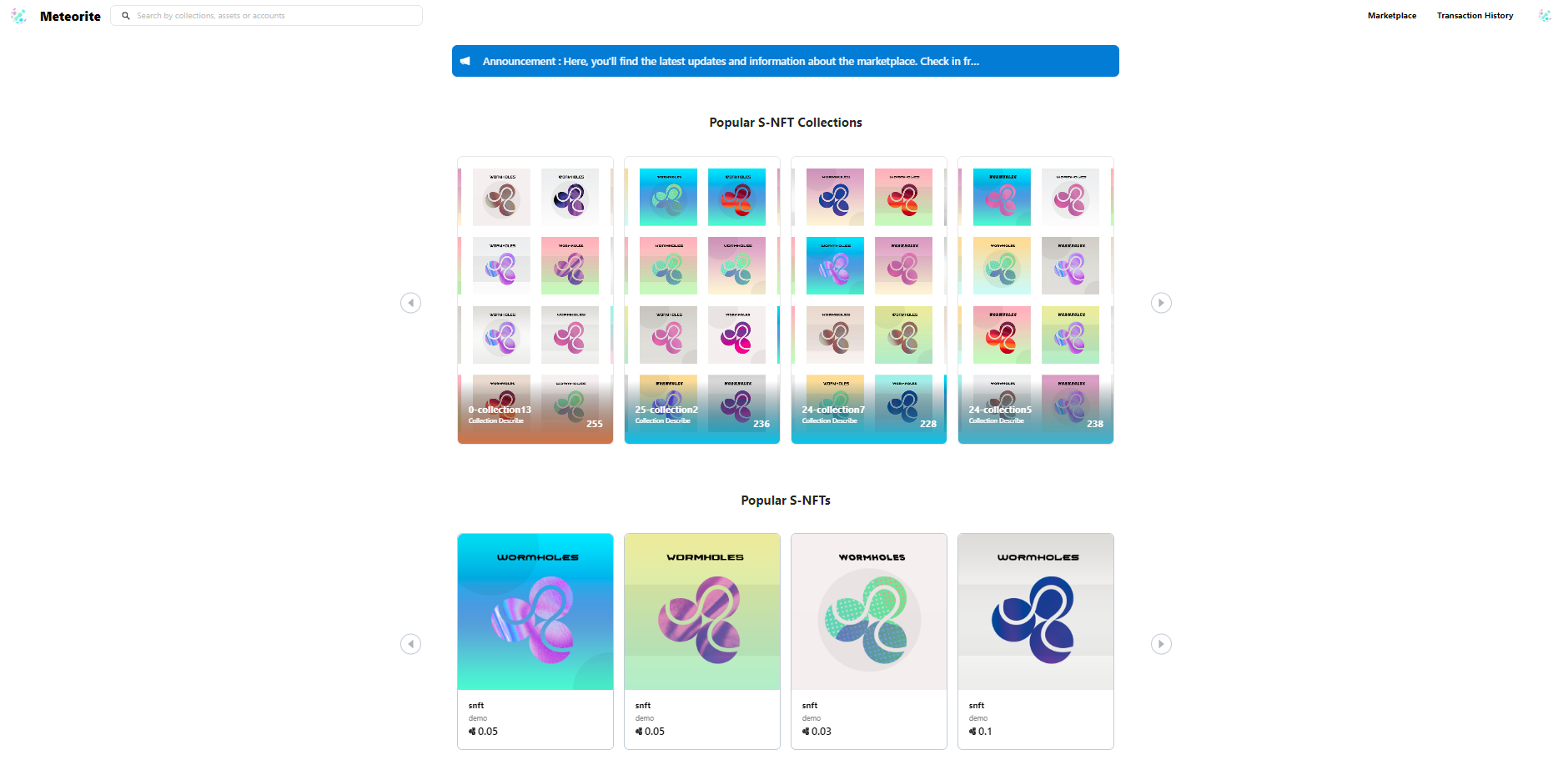
**Below the homepage banner are popular S-NFT collections and S-NFTs that have already been traded.**

<figure><img src="https://784032553-files.gitbook.io/~/files/v0/b/gitbook-x-prod.appspot.com/o/spaces%2FYTVPAlqY9fpK9hphBhJ3%2Fuploads%2FRSlMr3mDyZd2dSQtbBp4%2F%E5%BE%AE%E4%BF%A1%E6%88%AA%E5%9B%BE_20230211220535.png?alt=media&#x26;token=afb0853a-577b-48b6-8027-4bc90fa8ede7" alt=""><figcaption></figcaption></figure>

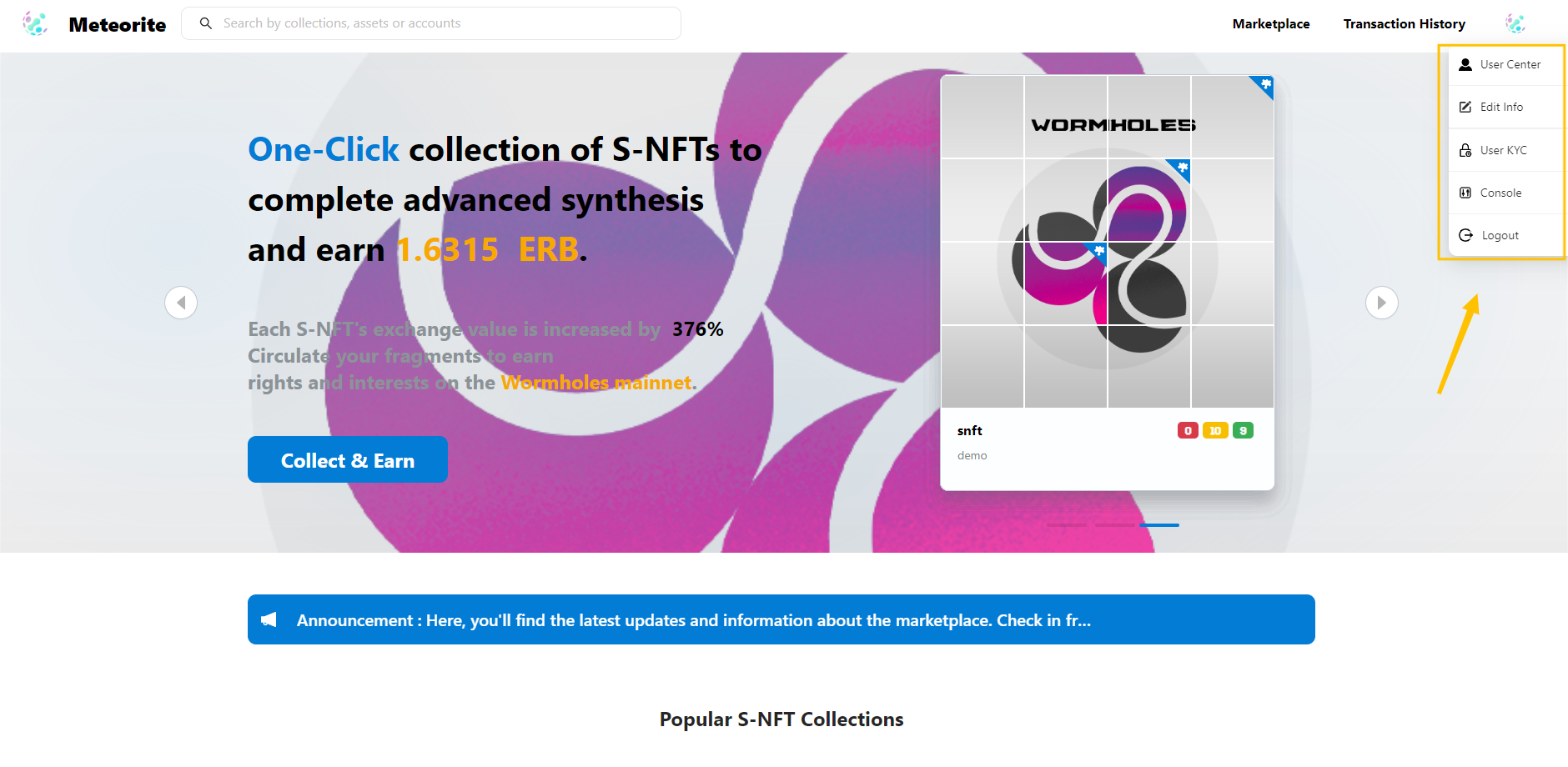
**Click the button in the upper right corner to access personal settings and queries.**

<figure><img src="https://784032553-files.gitbook.io/~/files/v0/b/gitbook-x-prod.appspot.com/o/spaces%2FYTVPAlqY9fpK9hphBhJ3%2Fuploads%2FLJUjOUTkGO3j65azUXIC%2F%E5%BE%AE%E4%BF%A1%E6%88%AA%E5%9B%BE_20230211215607.png?alt=media&#x26;token=a03d4ac8-b609-441d-b903-210e45ca421b" alt=""><figcaption></figcaption></figure>

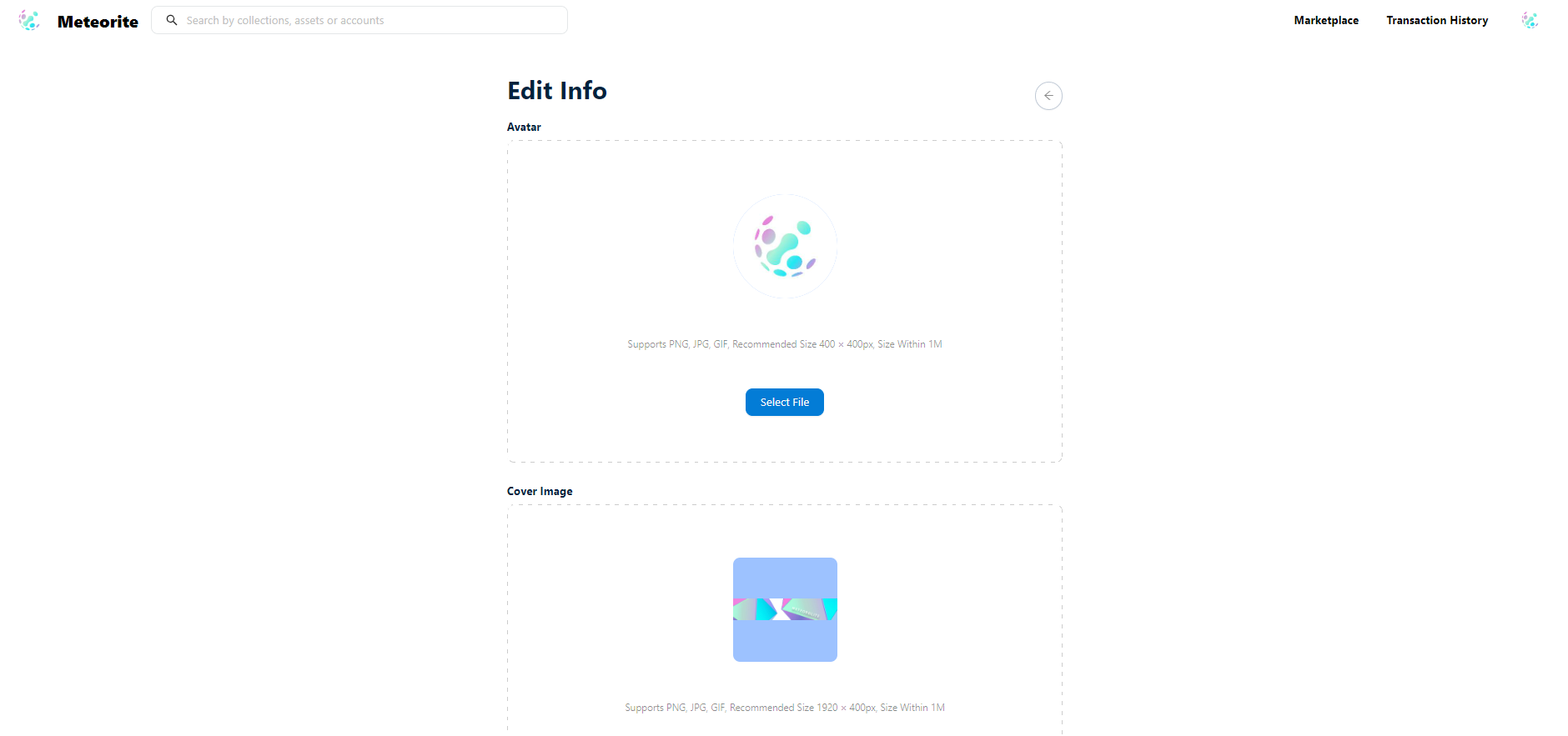
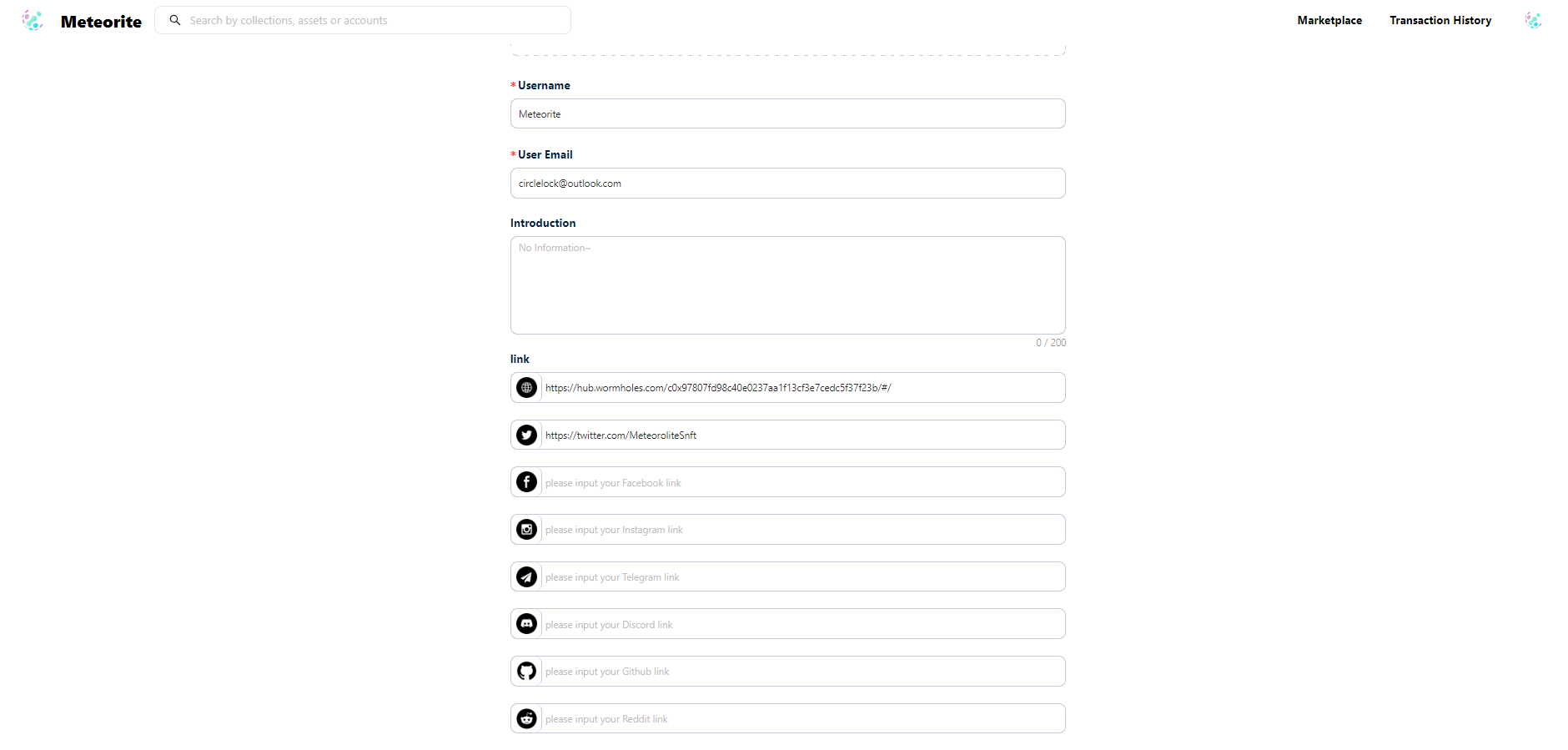
**Select "Edit Info" to enter your personal information.**

<figure><img src="https://784032553-files.gitbook.io/~/files/v0/b/gitbook-x-prod.appspot.com/o/spaces%2FYTVPAlqY9fpK9hphBhJ3%2Fuploads%2F3PZit5wrW2oe3fW1FXqX%2F%E5%BE%AE%E4%BF%A1%E6%88%AA%E5%9B%BE_20230211220145.png?alt=media&#x26;token=68cbc944-fc3a-4e63-ae1d-4b5b297aa5e8" alt=""><figcaption></figcaption></figure>

<figure><img src="https://784032553-files.gitbook.io/~/files/v0/b/gitbook-x-prod.appspot.com/o/spaces%2FYTVPAlqY9fpK9hphBhJ3%2Fuploads%2Fvo5bFZqV0ULT5RzIL2HB%2F%E5%BE%AE%E4%BF%A1%E6%88%AA%E5%9B%BE_20230211220206.png?alt=media&#x26;token=8e4255e1-f9e4-488b-b2c8-4ebc63b50828" alt=""><figcaption></figcaption></figure>

**After selecting your personal avatar and homepage banner and filling in your username and email, you can enter your social media account information.**

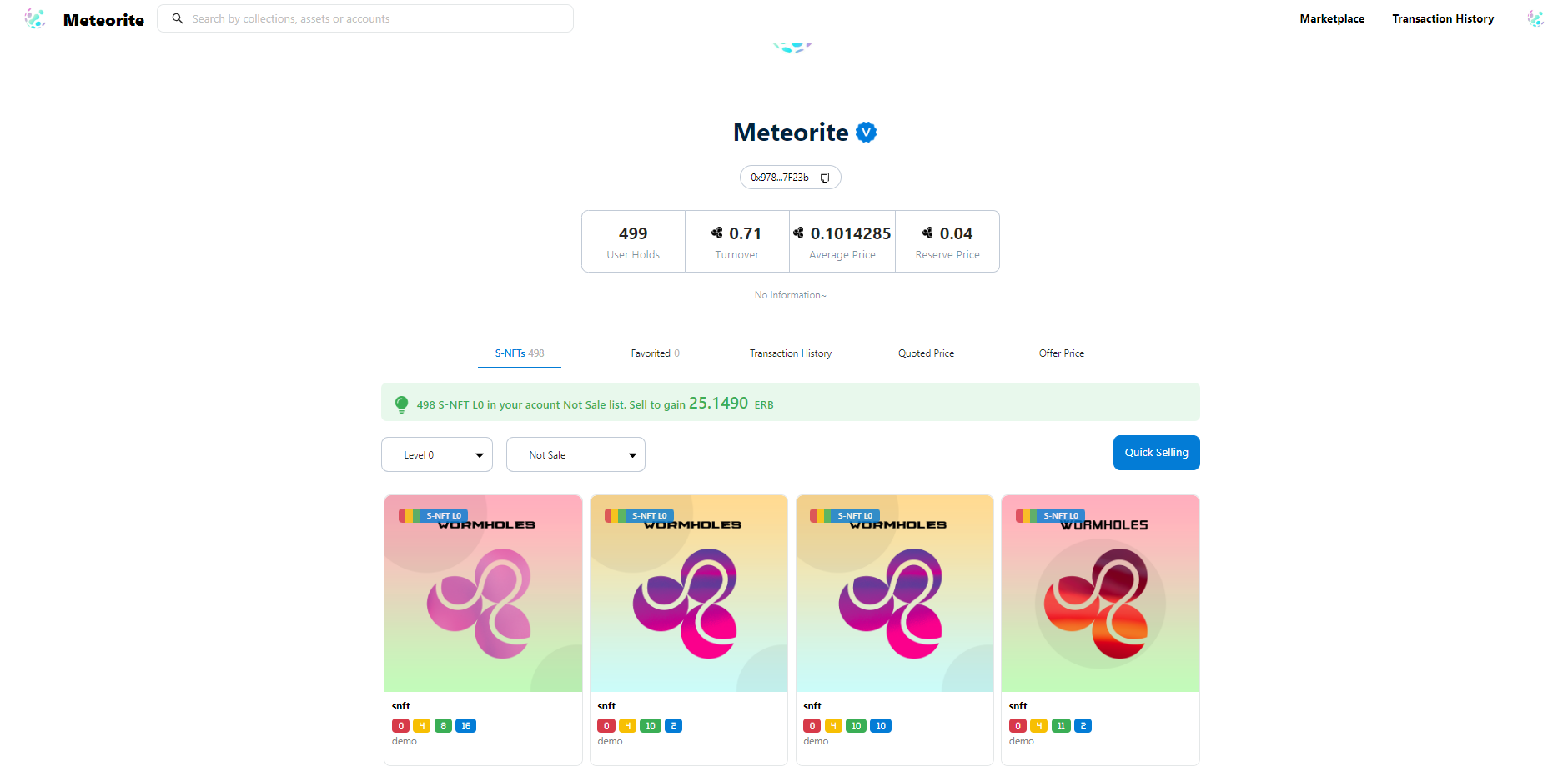
**Select "User Center" to check the details of the S-NFTs in your account.**

<figure><img src="https://784032553-files.gitbook.io/~/files/v0/b/gitbook-x-prod.appspot.com/o/spaces%2FYTVPAlqY9fpK9hphBhJ3%2Fuploads%2FDBSoxDjPmRlXeYpx66Qt%2F%E5%BE%AE%E4%BF%A1%E6%88%AA%E5%9B%BE_20230211220001.png?alt=media&#x26;token=f60016cd-772f-4146-99b6-21767715a199" alt=""><figcaption></figcaption></figure>

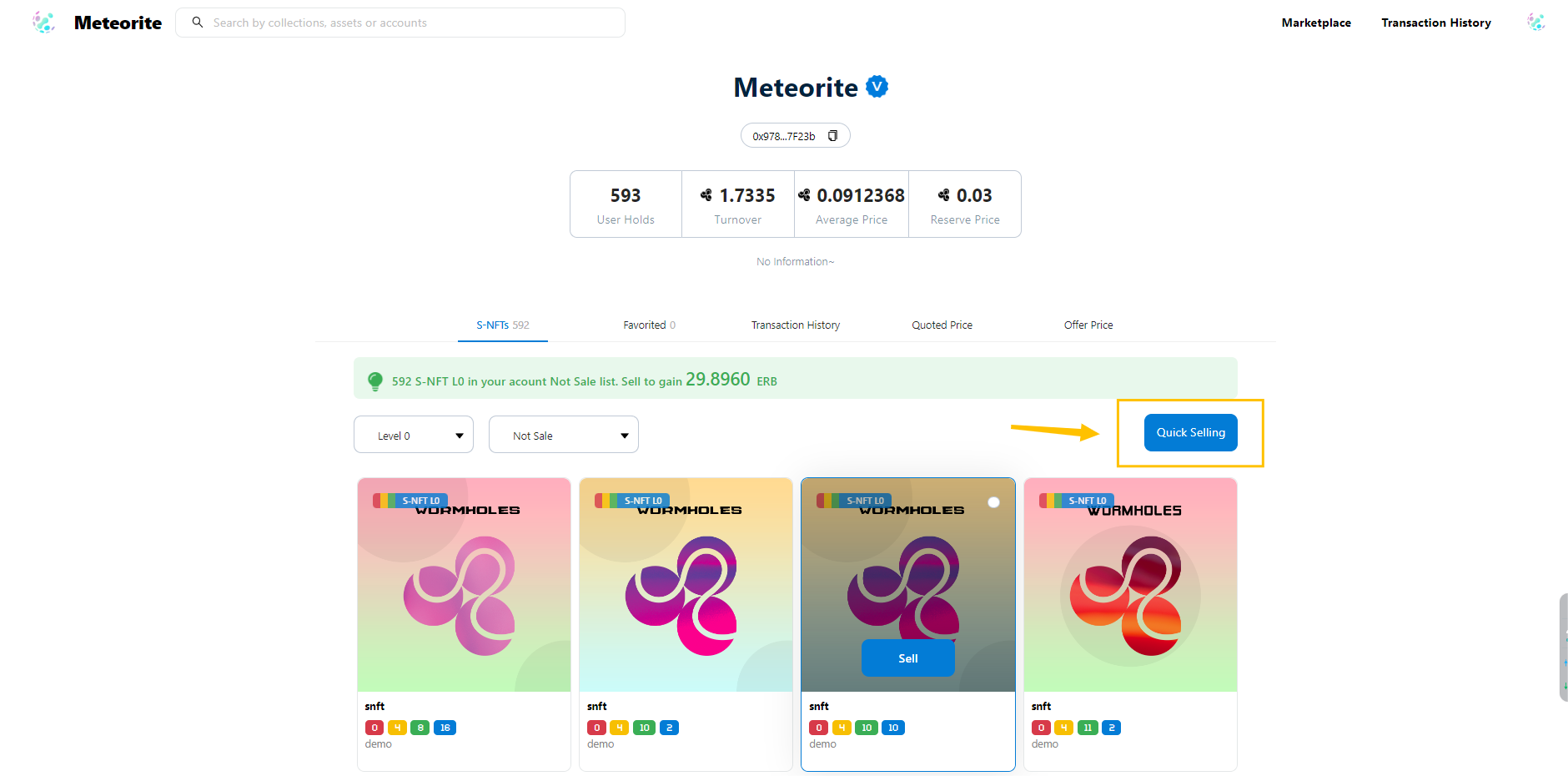
**The function of the arrow is to sell quickly. The default is a maximum of 500 items at a time. If the number of items is less than 500, it will be calculated according to the actual number. The 'Sell' button confirmation can also be used for one-click selling.**

<figure><img src="https://784032553-files.gitbook.io/~/files/v0/b/gitbook-x-prod.appspot.com/o/spaces%2FYTVPAlqY9fpK9hphBhJ3%2Fuploads%2FBsz8VnIb0Ra1rqywz9f9%2F%E5%BE%AE%E4%BF%A1%E6%88%AA%E5%9B%BE_20230213132756.png?alt=media&#x26;token=75566640-ec69-46a4-8ef5-ea1d6a6bf419" alt=""><figcaption></figcaption></figure>

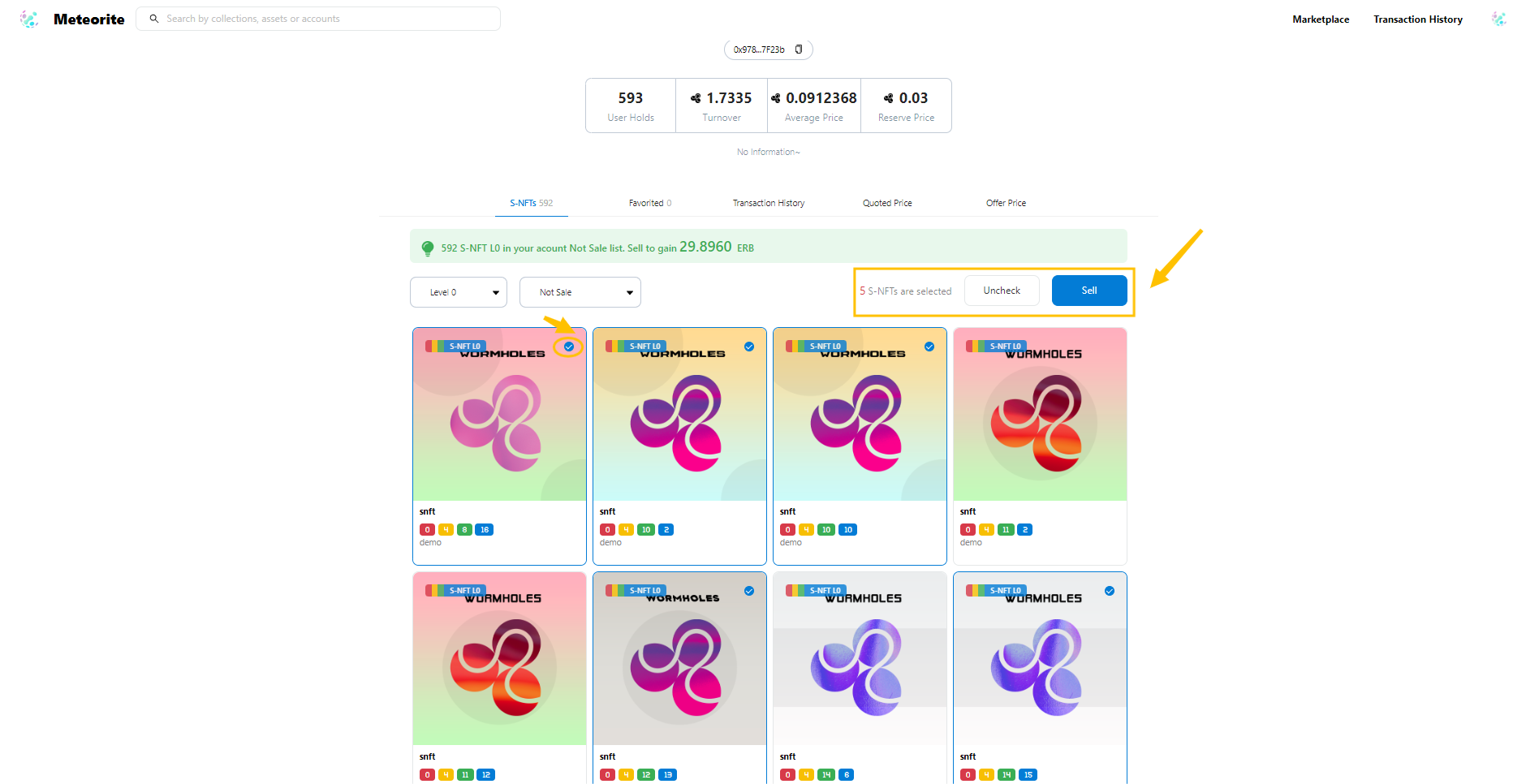
**You can customize the items that need to be sold by checking the part indicated by the arrow corresponding to the circle, and you can also sell with one click by confirming with the ‘Sell’ button in the upper right corner.**

<figure><img src="https://784032553-files.gitbook.io/~/files/v0/b/gitbook-x-prod.appspot.com/o/spaces%2FYTVPAlqY9fpK9hphBhJ3%2Fuploads%2FEhKWlCcuLhPE2VKLVgyh%2F%E5%BE%AE%E4%BF%A1%E6%88%AA%E5%9B%BE_20230213133107.png?alt=media&#x26;token=ebc7c307-1713-4fab-802e-92e15e190a17" alt=""><figcaption></figcaption></figure>

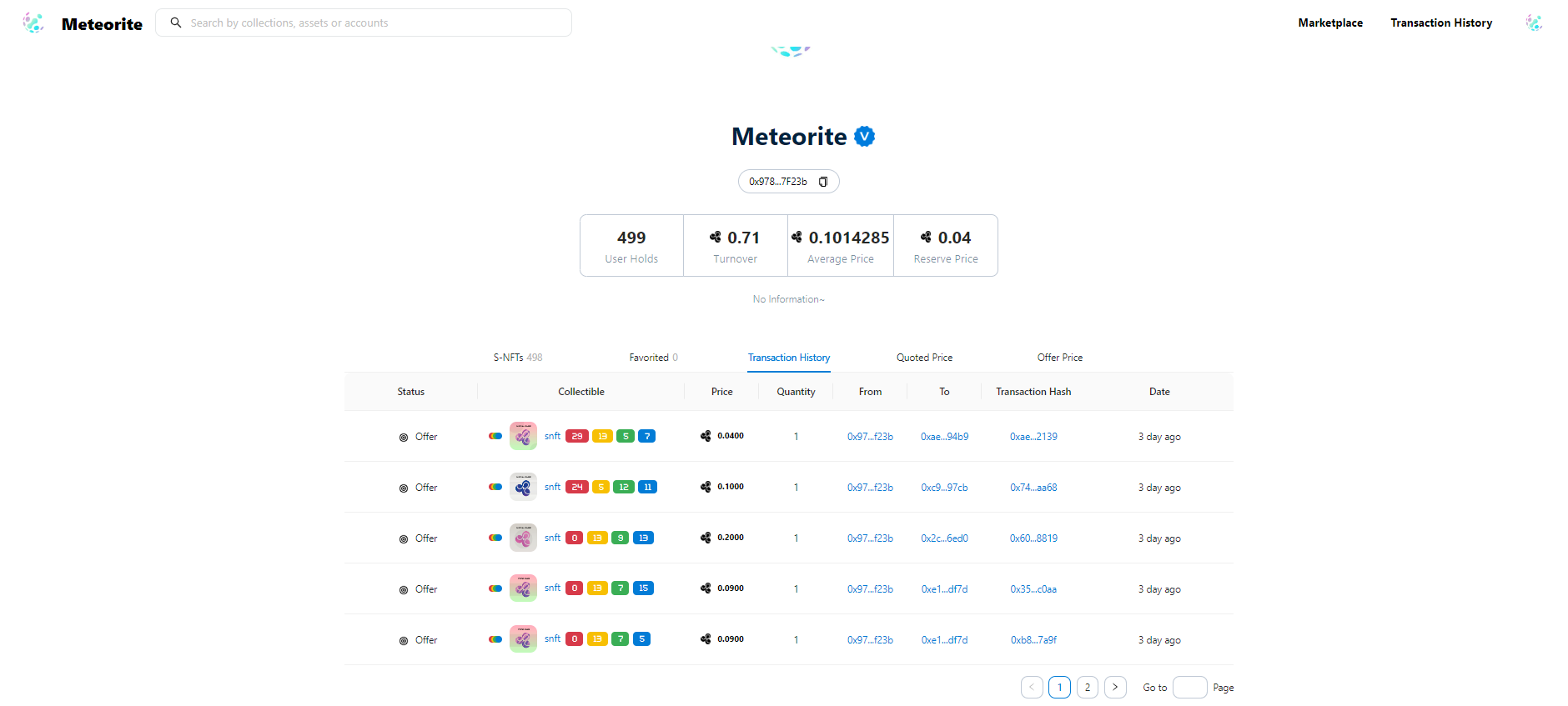
**By switching between different wallets addresses you own, you can check out the corresponding wallet account's S-NFTs.**
<figure><img src="https://784032553-files.gitbook.io/~/files/v0/b/gitbook-x-prod.appspot.com/o/spaces%2FYTVPAlqY9fpK9hphBhJ3%2Fuploads%2FyFwex80Gfg6mf1zvwtAC%2F%E5%BE%AE%E4%BF%A1%E6%88%AA%E5%9B%BE_20230211220059.png?alt=media&#x26;token=85a55994-ad64-4101-8b95-6e7a649e768b" alt=""><figcaption></figcaption></figure>